
The Discord verification bot that catches alt accounts
Double Counter verifies each new member in about 3 seconds: one click on a private link, with no Discord login and no captcha puzzle. It catches second accounts, whether the first one was banned or not, and blocks VPNs and raids before they reach your channels.
Free forever for most servers. Protecting 618,000+ communities since 2020.
Example: three members join; one is verified, one is flagged as the alt account of a banned member, one is blocked for using a VPN.
Live figures from the Double Counter network. 99.9 % uptime, tracked on the status page.
Trusted by the world's biggest communities





What a Discord verification bot does
A Discord verification bot checks every new member before they can see your channels. New members land in a single verification channel, complete a check, and receive a role that unlocks the rest of the server. Most bots only check that the member is human. Double Counter also checks that the person isn't already banned, hiding behind a VPN, or part of a raid.
A captcha proves someone is human. It doesn't prove they're new.
A captcha bot or a reaction-role gate stops basic spam bots. It does nothing about the person you banned yesterday, because they're human too. They make a second account, solve the puzzle, and they're back.
Discord's own tools don't close that gap. A server ban covers the account and the IP address it used, but only once you have banned someone, and a VPN or mobile data gets around it in a minute. It does nothing about a member who quietly runs multiple accounts without ever being banned: to enter a giveaway twice, swing a vote, dodge a mute or prepare a raid. Verification levels only check for a verified email or phone number.
Stopping ban evasion and multi-accounting means recognising the person, not the account. That is what Double Counter was built for.
What each kind of Discord server verification actually stops
| What it stops | Discord built-in (ban and verification level) | Reaction role or rules gate | Captcha bot | Double Counter |
|---|---|---|---|---|
| Basic spam bots | Partly | Partly | Yes | Yes |
| Banned members returning on an alt account | Only from the same IP address | No | No | Yes, about 98 % detected |
| Members running multiple accounts who were never banned | No | No | No | Yes |
| VPN, proxy and Tor joins | No | No | Rarely | Yes, IP data refreshed hourly |
| Coordinated raids | Slows them down | No | Partly | Yes, pattern detection and staff alerts |
| Discord login required to verify | No | No | Often | No, a unique private link |
| Effort for a real member | Verified email or phone, plus a wait | One click | A puzzle on every join | One click, about 3 seconds, no login, no puzzle |
| Price | Built in | Free | Varies | Free, optional Pro |
Categories describe typical behaviour. Individual bots vary.
From join to verdict in three steps
Step 1
Capture
A new member gets a unique private link, generated on the fly, the moment they join or when they click Verify, depending on the mode you choose. They open it and continue with one click: no Discord login, no authorisation screen, no puzzle, no form. It takes under a second.
Step 2
Match
Device, browser, network and behaviour signals are compared with millions of records curated since 2020, across more than 20 risk factors. Each check returns a confidence score from 0 to 100.
Step 3
Decide
Your rules apply: give the verified role, flag the member for staff review, move them to a quarantine role, or ban. Every decision is logged with the reasoning behind it.
No Discord login. No captcha. One private link.
Most verification bots send new members to a website, ask them to log in with Discord, approve an app, then solve a puzzle. Every extra screen loses real members at the door. Double Counter asks for one click on a link made for that member and that verification only.
Faster for members
About 3 seconds from join to verdict, on any device. Nothing to type, nothing to solve.
Safer for your community
Scammers imitate verification bots to steal accounts. Double Counter never asks for a password, a QR code scan or an app authorisation, so the rule for your members is simple: if a “verification” asks for any of those, it isn’t Double Counter.
More private
With no Discord login in the flow, Double Counter never receives a member’s email address, server list or friends, and can never join servers on their behalf.
Three ways to run verification on your Discord server
On join (recommended)
The verification link is sent by DM as soon as someone joins. Most servers start here.
On click
Nothing happens until the member presses the Verify button in your verification channel. The most private option, and it works when members keep their DMs closed.
Automated screening
Screening runs in the background without asking the member to do anything. The smoothest experience for large communities.
All three work alongside Discord Onboarding and rules screening. Read the Onboarding guide
Three lines of defence in one verify bot
Alt accounts and ban evasion
Dozens of anonymised signals link a new account to the person behind it, on your server or across the network, whether their first account was banned or is still sitting in your member list. About 98 % of alt accounts are caught on arrival.
VPNs, proxies and Tor
VPNs, datacenter IPs, Tor exits and virtual machines are blocked, with IP intelligence refreshed every hour. Servers that only want this layer can turn alt detection off and keep VPN blocking.
Raids
Coordinated join patterns, such as a hundred accounts in a minute, are detected automatically and your staff is alerted.
Set up verification on Discord in three choices
There is no bot to host and nothing to code.
Add Double Counter to your server and open the dashboard.
Choose three things: the channel where members verify, the role verified members receive, and a staff-only channel for logs.
Pick a verification mode and save. New members are verified from that moment on.
Never use @everyone as the verified role, and make sure the verified role is what unlocks your channels. Full setup guide
A verifier bot that leaves the final call to your staff
Auto-ban or quarantine.
Ban detected alts automatically, or give them a quarantine role and decide later.
Logs you can audit.
Every flag shows the signals, the reasoning and a confidence score.
Manual override.
/manverify lets staff approve a known second account, such as a moderator's alt.
Local or global database.
Share detections with the network, or keep checks local to your server.
Minimum account age.
Hold accounts that are too new until they reach the age you set.
Kick on timeout.
Remove members who never complete verification.
Role pings.
Alert the right role when a threat is detected.
Live dashboard.
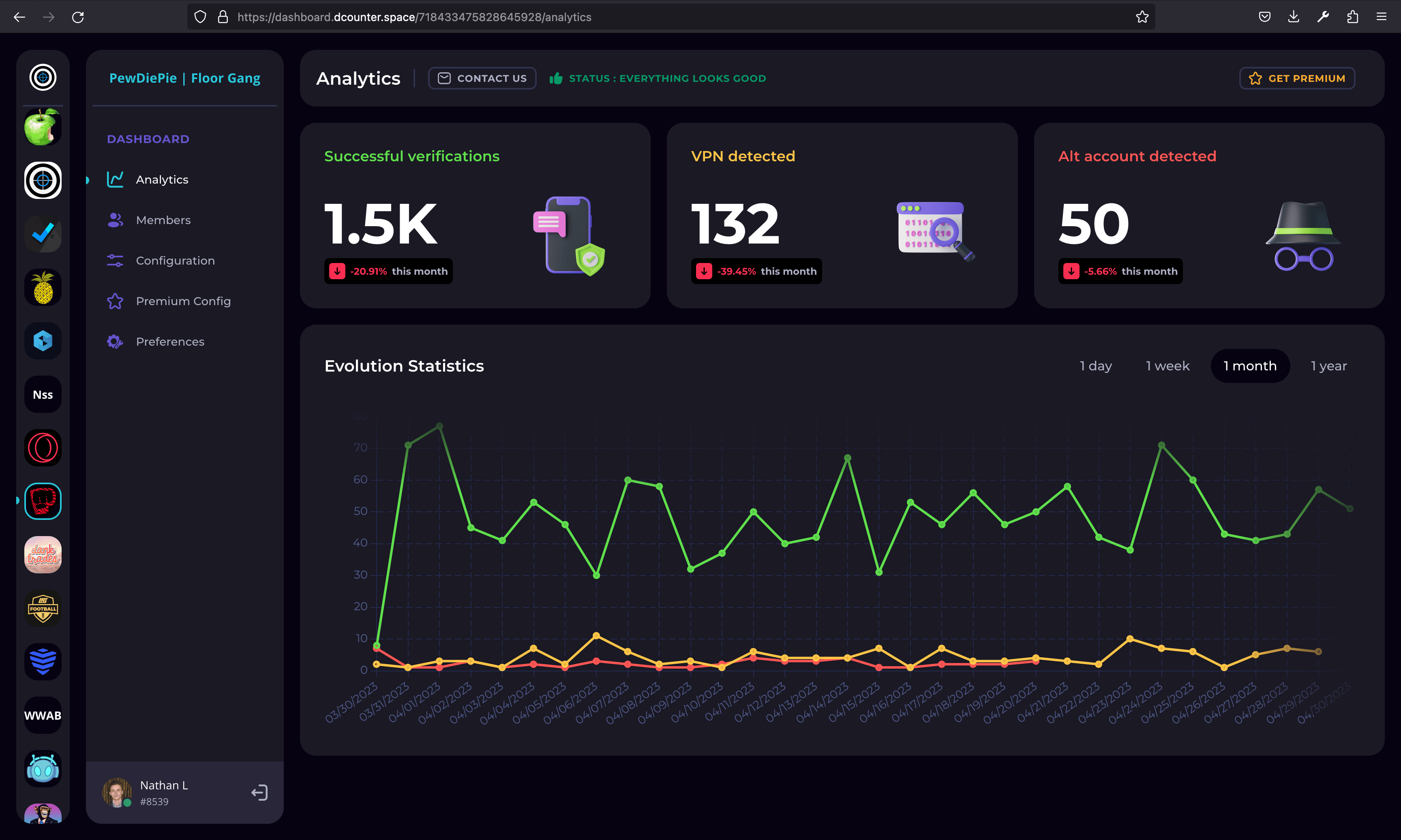
Verifications, VPN flags and alt detections in real time, by day, week, month or year.
Privacy-first, built and operated in the EU
Verification needs very little: a Discord user ID and the IP address used at the moment of verification. That data is encrypted, never viewed by a human, and never sold or shared with third parties. It is used for one thing: detecting alt accounts.
Members control their data with the /privacy command, which sends them a copy or deletes it, and can also write to gdpr@doublecounter.gg. A deletion request removes the IP address immediately. IP addresses and account links are kept for at most 24 months after a member's last verification, as set out in the privacy policy. Double Counter is operated by Tellter SAS in France and complies with the GDPR.
There is no Discord login anywhere in the flow. Double Counter never receives a member's email address, server list or friends, never reads messages, and can never join servers on a member's behalf.
Free forever. Pro when you want more.
Free
Alt account detection, raid and VPN protection, all three verification modes, auto-ban, and more than 20 settings. The free verification page shows ads.
Pro
An ad-free verification page, a custom verification message, a custom timeout of up to 60 minutes, DC Fingerprinting analytics, cross-database checks and right-click moderator actions. Billed through Discord; cancel from your Discord settings.
“Double Counter has earned the unwavering trust of BlueWillow AI. Its advanced features and robust alt-detection system have consistently exceeded our expectations.”
Discord verification bot FAQ
What is the best way to verify members on a Discord server?
Is Double Counter free?
How is Double Counter different from a Discord captcha bot?
Can someone get past verification with a VPN or a new account?
Don't Discord's bans and verification levels already do this?
How long does verification take?
Will real members get flagged by mistake?
/manverify.Does it check members who were already in my server?
Is it an age verification bot?
Is Double Counter a verified Discord bot, and is it safe to add?
What data does the Discord verify bot collect?
/privacy.Do members have to log in with Discord to verify?
What if a member can't complete verification?
/verify to get a new one, and should never open a link sent to someone else. The troubleshooting guide covers each case, and staff can always use /manverify.More questions? Read the full FAQ
Add the verification bot to your Discord server
Setup takes three choices. Members verify in 3 seconds without logging in. It's free, and your next banned member stays banned.